Microsoft appears to have slowed down the Windows Control Panel intentionally in the past
Microsoft appears to have slowed down the Windows Control Panel intentionally in the past
The Windows Control Panel has been an essential part of the Windows operating system. When Microsoft released Windows 10, it announced that the Control Panel would be replaced by the Settings app eventually.
While some Control Panel applets moved to the Settings in the almost ten years that followed, Microsoft never removed the Control Panel entirely from Windows.
This August, news spread that Microsoft was ready to remove the Control Panel. Microsoft recanted the deprecation notice shortly thereafter, and it seems that the Control Panel is here to stay after all.
Tip: did you know that you can launch Windows Control Panel applets directly?
Microsoft slowed down the Control Panel
Developer Eric Voirin is known for the framework Win98 QuickInstall. This is a hobby-project designed to speed up the installation of the ancient operating system.
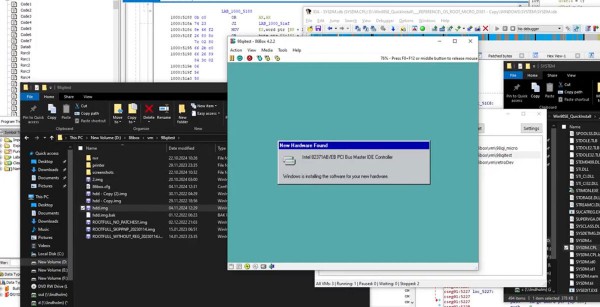
Voirin discovered hard-coded delays in a Control Panel applet under Windows 95 and 98. These delayed the integration of new hardware in the operating system by eight seconds in total. Whether this are also present in newer versions of Windows is unclear at this point.
The total waiting time is divided into two segments. First a delay of three seconds when the generic default name of the class or device is displayed, and then a delay of five seconds after Windows updates the logo and name for the actual device.
Voirin says that he managed to reduce the entire process to 300 milliseconds.
It is unclear why Microsoft added the delay in first place. It is possible that this had technical reasons. It is unclear if there are more delays hardcoded into other parts of the Control Panel.
Good news is that the delay was not integrated to make the Settings app more appealing. It did not exist back in the Windows 9x days.
Closing Words
Most Windows users do not need to add hardware manually to the latest versions of Windows. While it may still be beneficial to install manufacturer-provided drivers, most modern devices should would out of the box.
Old or rare devices may still need drivers and a manual installation process to get them working on newer versions of Windows.
Have you ever had to install hardware devices manually? Feel free to leave a comment down below. (via WinFuture)
More like this
-
How to make Microsoft Edge look better on Windows 11
 How to make Microsoft Edge look better on Windows 11Read more
 -
RustDoor malware targets macOS users by posing as a Visual Studio Update
RustDoor malware targets macOS users by posing as a Visual Studio UpdateRead more
-
Microsoft 365 includes a VPN now, but there is a catch
Microsoft 365 includes a VPN now, but there is a catchRead more
-
You can remove Recall from Windows if you do not want it (Update: or not)
You can remove Recall from Windows if you do not want it (Update: or not)Read more
-
Windows 10 Reclaims Top Spot as Most Popular OS Among Steam Users
Windows 10 Reclaims Top Spot as Most Popular OS Among Steam UsersRead more